Lets fix your electrical panel directory.
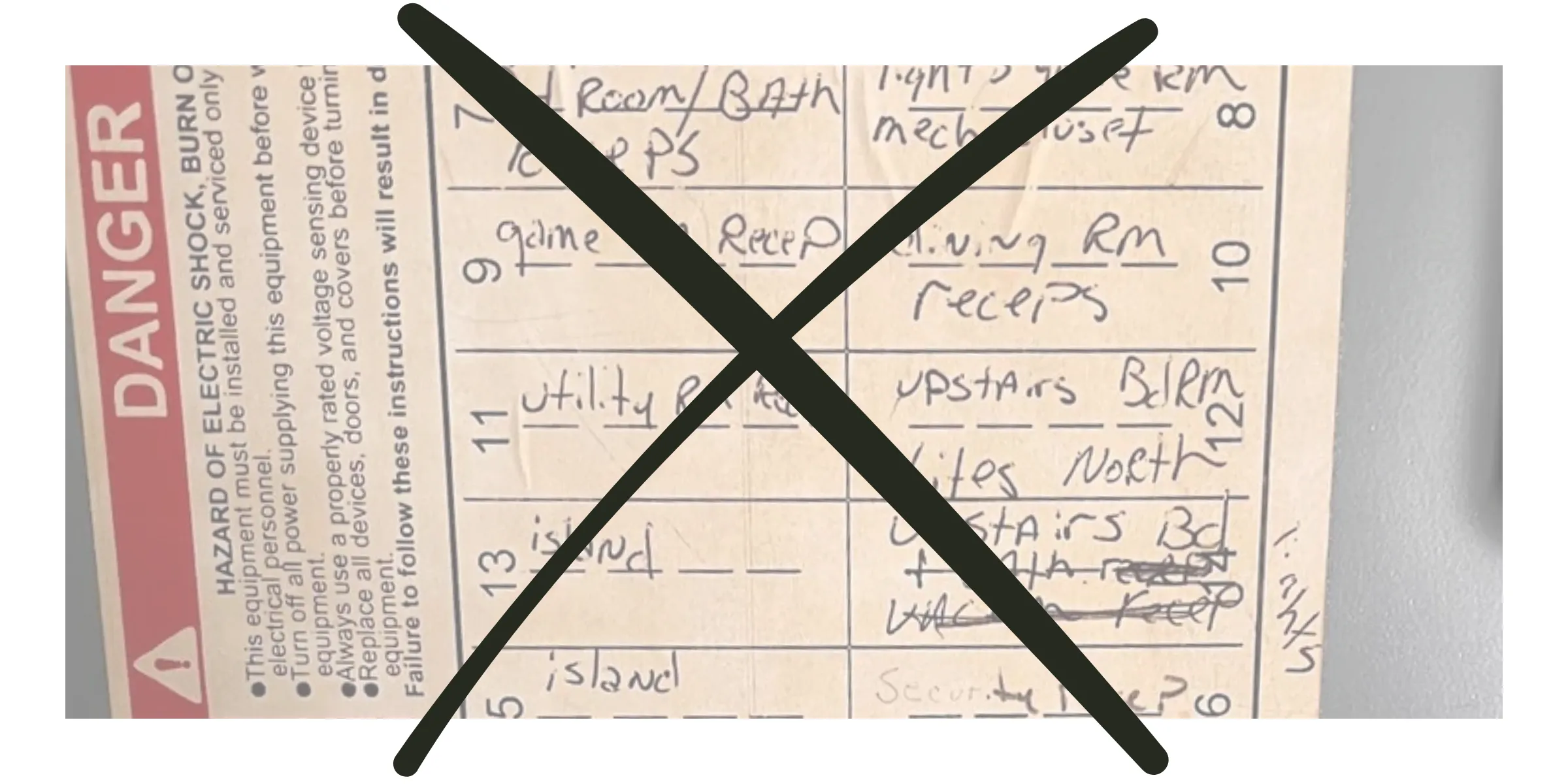
The directory is afterthought for electrical panel manufacturers. Their sticker has no space to write anything useful. You can fit maybe one or two words max. Scribbled in the little space that's left if there's even any at all. Causing labels to be abbrevated, generatic and vague.
Labels like "Bedroom #1 and Bedroom #2."
How do you know which bedrooms these are in a house with four bedrooms…
Technically this isn't wrong… Labels like this will pass code.
But it's NO help to anyone..
The better way to label breakers
- Build your Circuit Directory to match your electrical panel breaker-by-breaker.
- Document each circuit using your own words. Add labels, descriptions, and images.
- Download a print-ready copy for the panel and keep a digital copy online.
Circuit Directory explained in 2 minutes
With us, labeling is easy
Store all that knowledge in one place, online. Scannable at the panel, editable when things change, and impossible to lose..
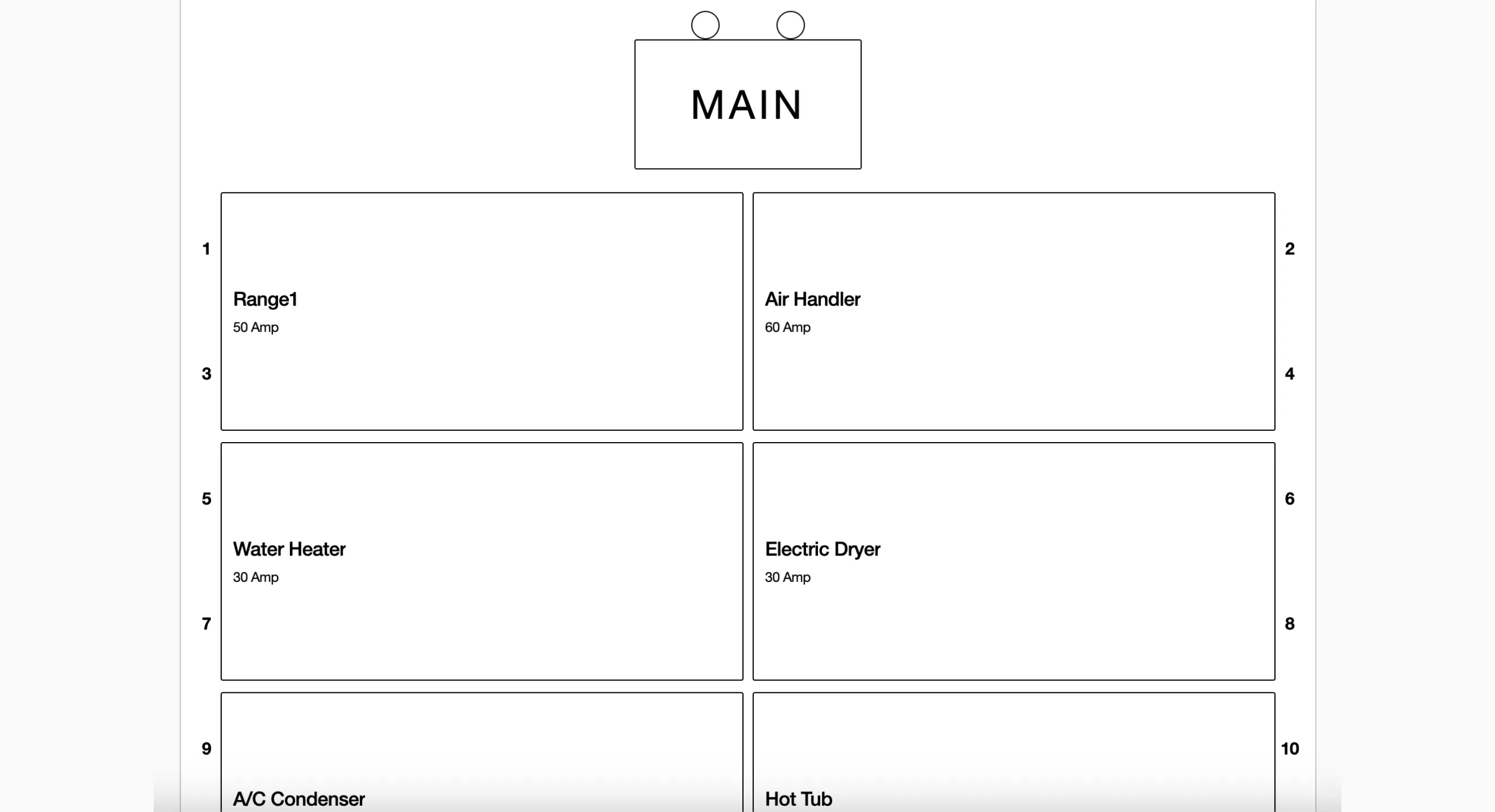
Directory & panel match
Each new circuit directory starts empty. Add one breaker at a time. This allows you to match your electrical panel breaker for breaker.
Building the panel (video)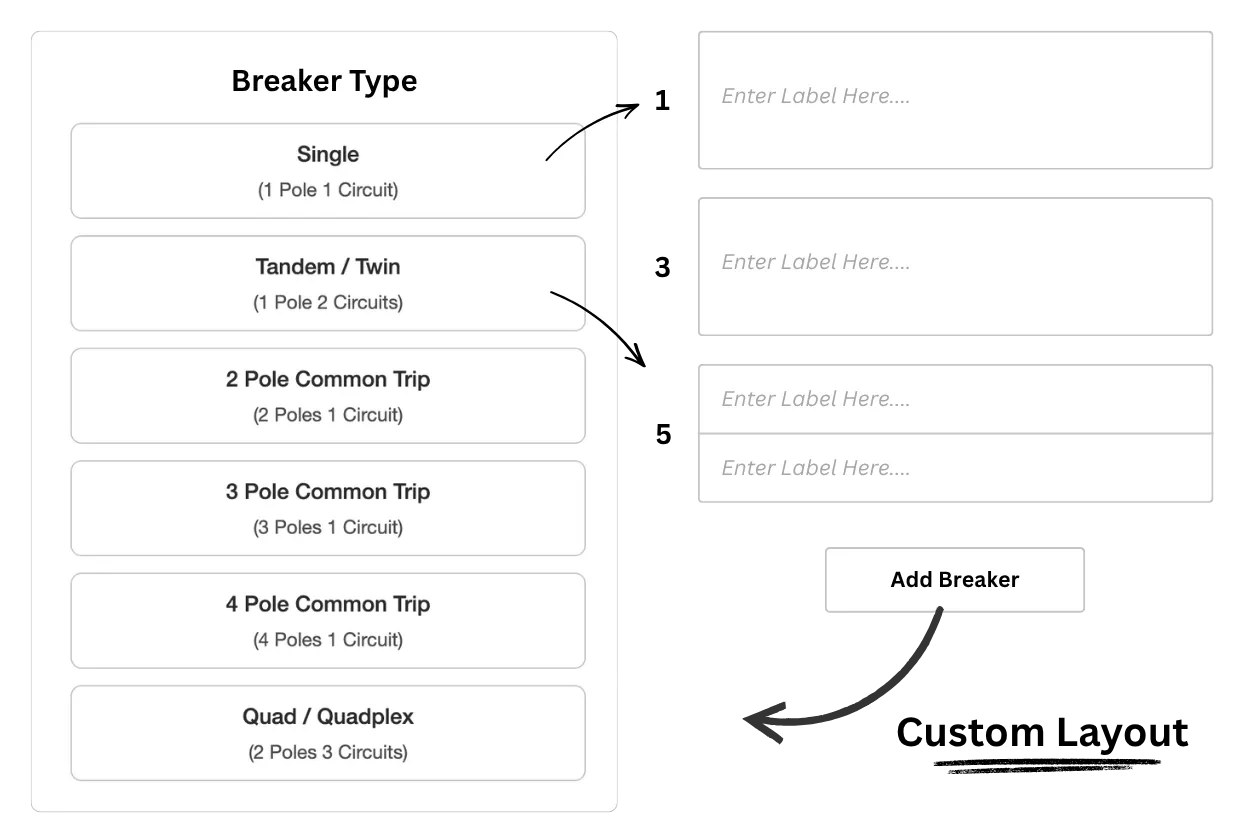
Circuit-level information
Each circuit gets its own dedicated page. Use our preset fields to quickly log key details, add custom notes in your own words, and upload photos for easy visual reference. Add as much or as little information as you need to document exactly what that circuit powers.
Using infromation pages (video)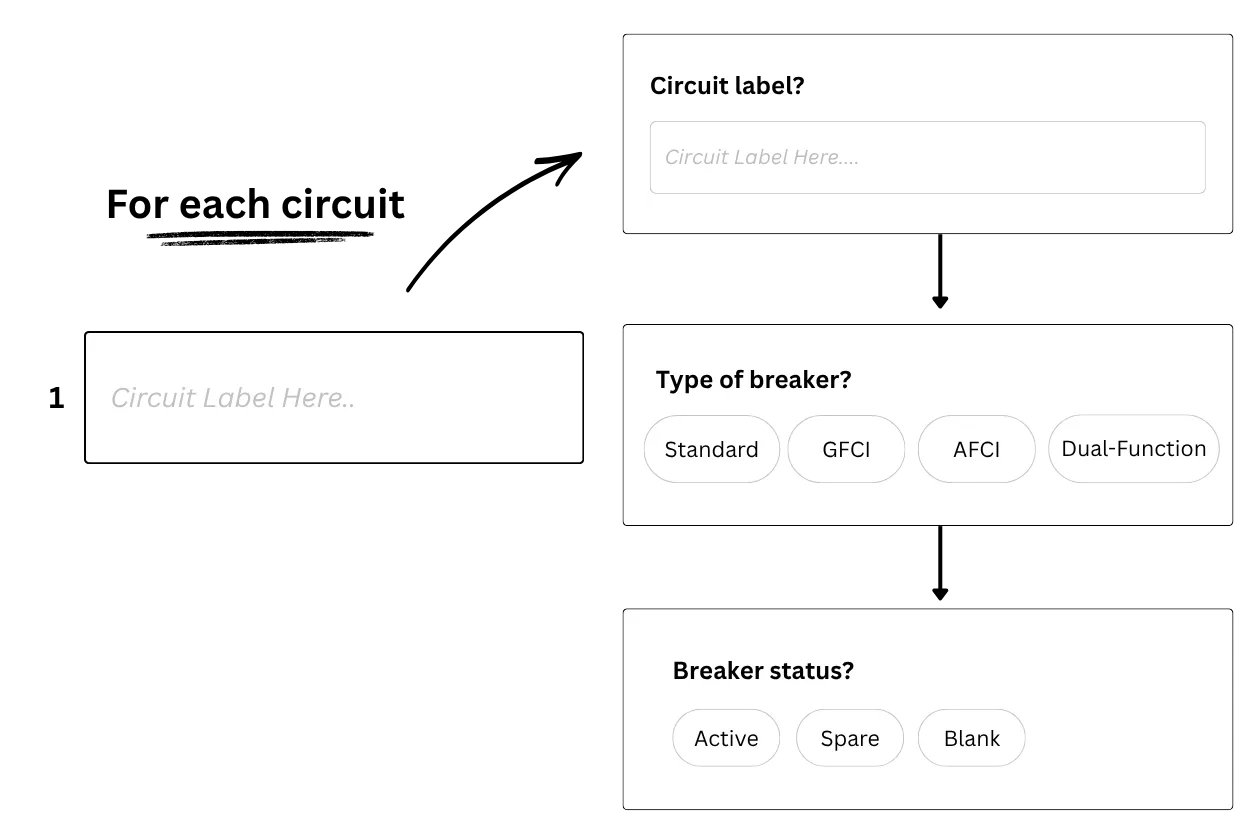
Capture & organize images
Take photos or add them from your camera roll. Use annotations to add text and drawings. Everything is shown in the Image Gallery by default. Save images to a circuit to help orgaize your gallery.
Working with images(video)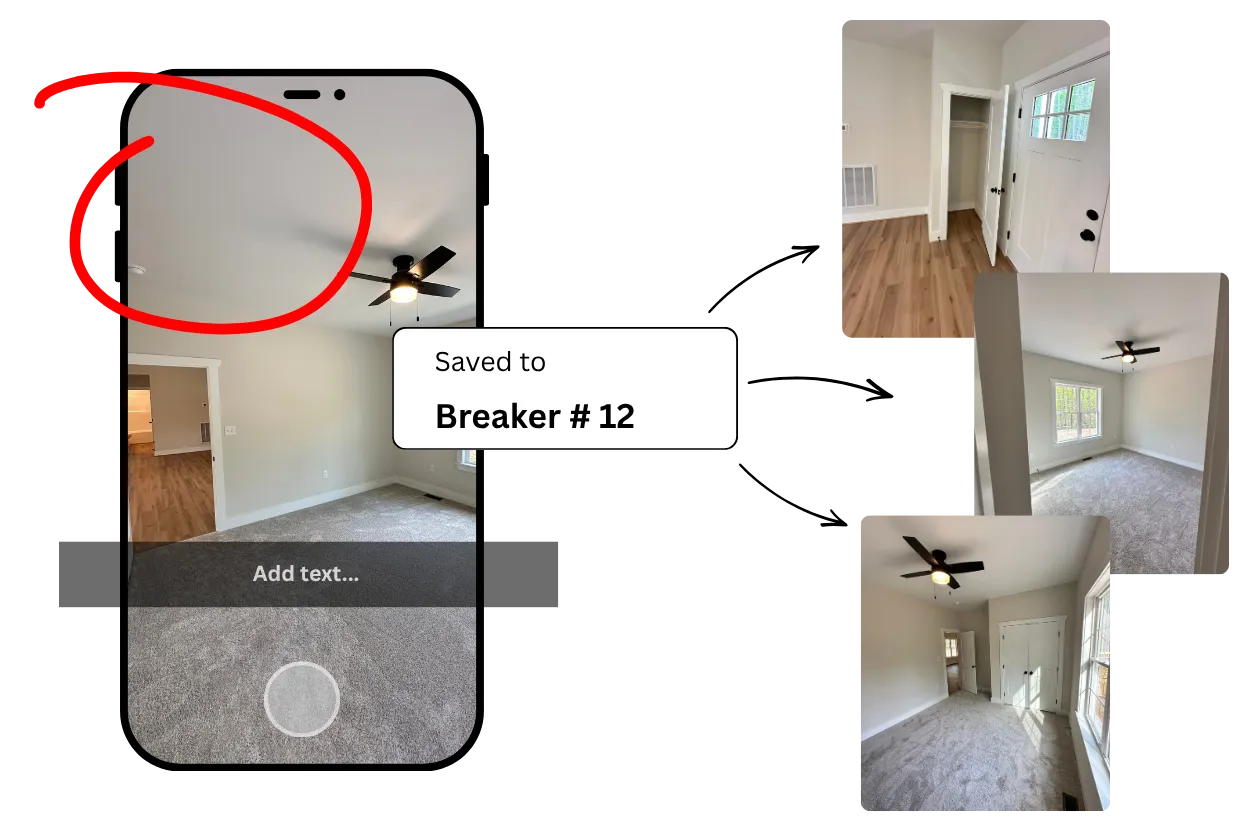
Generate a physical copy
Download clean, print-ready directories tailored exactly to your physical panel layout. Completely customize the export. Add your company branding and contact info, and generate a professional hard copy to leave on-site.
Printing and downloading (video)Custom Branding (video)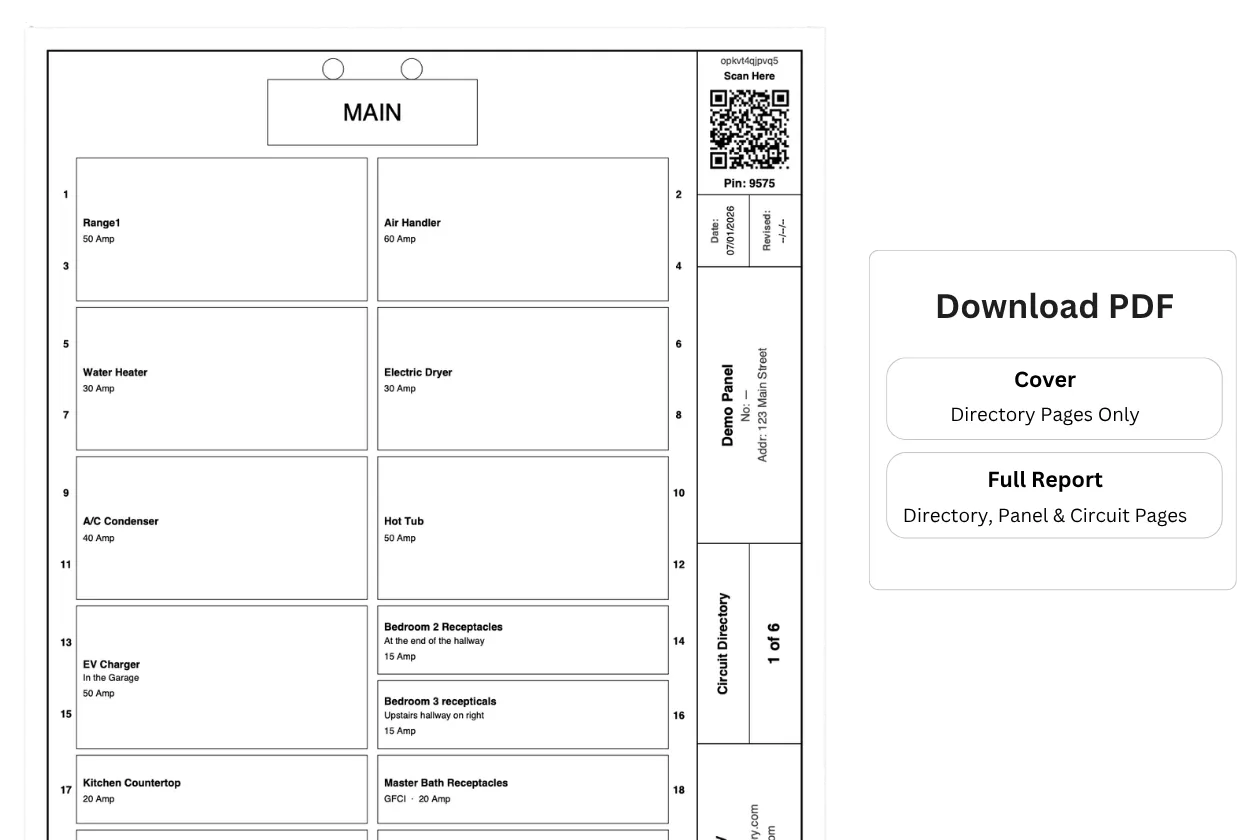
Accessing the online directory
Open the camera on your phone, scan the QR code, and you're in — nothing to type. The access code is built into the QR itself. Anyone on-site can view, edit, and contribute. No special app needed. Just a camera phone and an internet browser.
Online accessibility (video)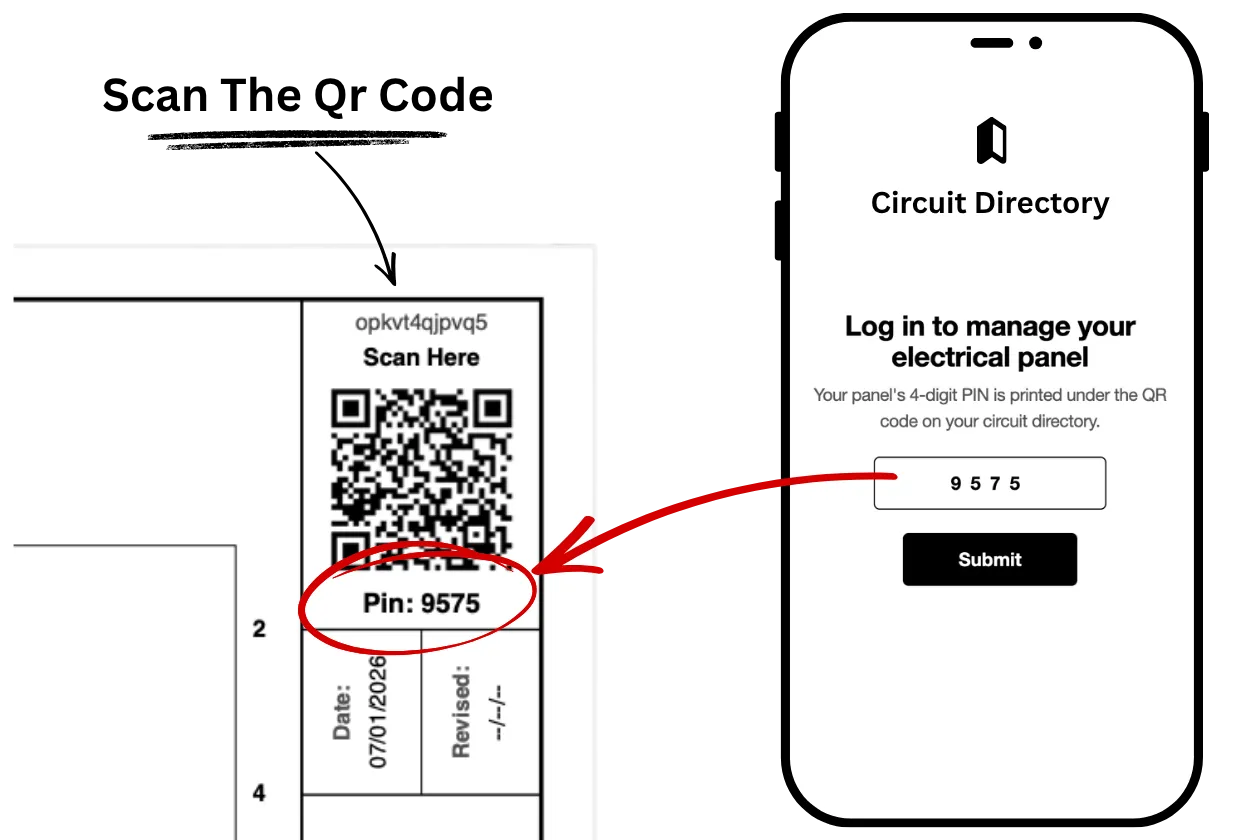
With us, labeling is easy
Store all that knowledge in one place, online. Scannable at the panel, editable when things change, and impossible to lose..
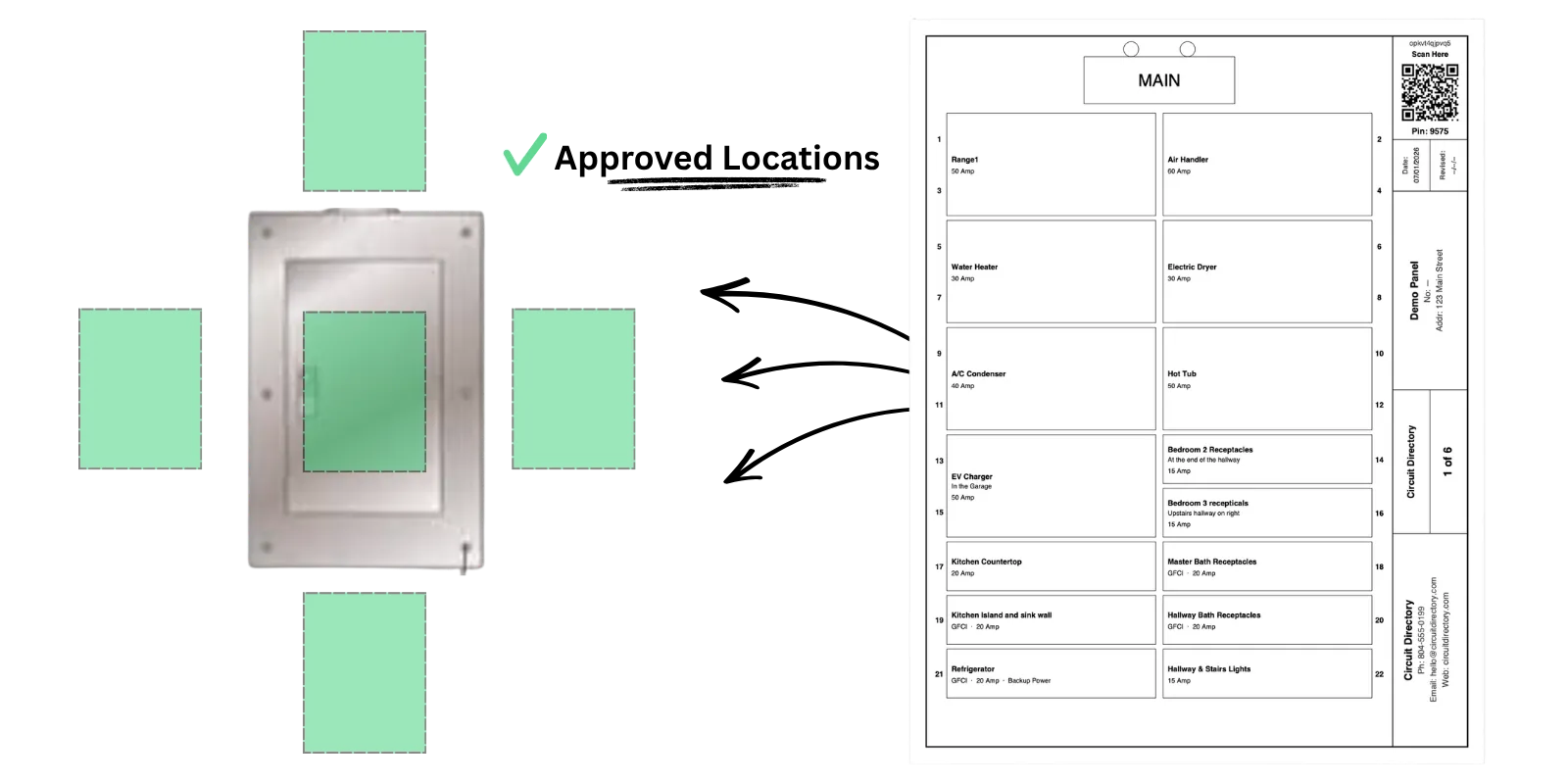
The lack of space: Solved
For the 2020 NEC, the location of the circuit directory has been expanded to include “an approved location adjacent to the panel door".
Read more →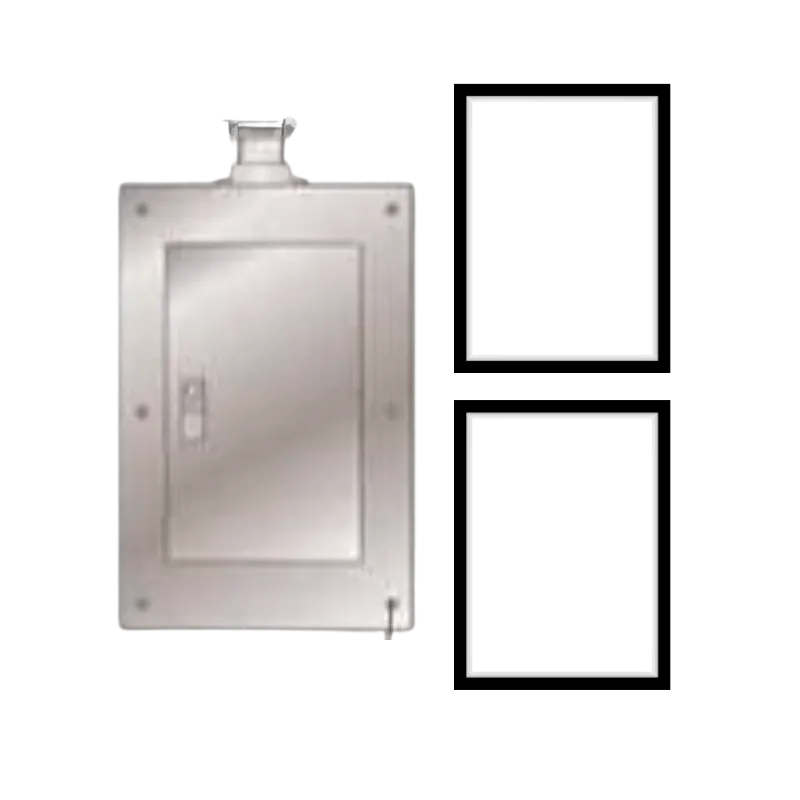
Displaying Your Circuit Directory
Turn a your electrical panel into a premium feature, not an afterthought.
Read more →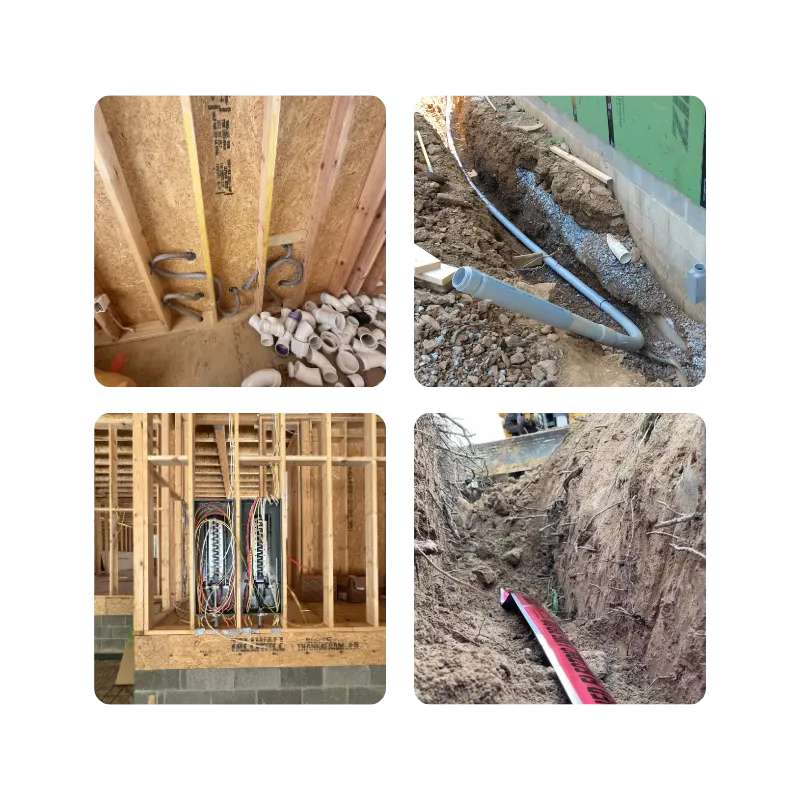
Pictures Before It's Covered Up
Jobs move fast. Capture everything before it gets covered with, drywall, concrete or buried in the dirt.
Read more →With documentation, more is more!
We give you the tools to capture, store and display that information.
Panel-level information
The panel gets its own dedicated page, too. Use our preset fields to quickly log key details, add custom notes in your own words, and upload photos for easy visual reference. Add as much or as little information as you need to document your electrical panel and overall service details.
Panel Information Page (video)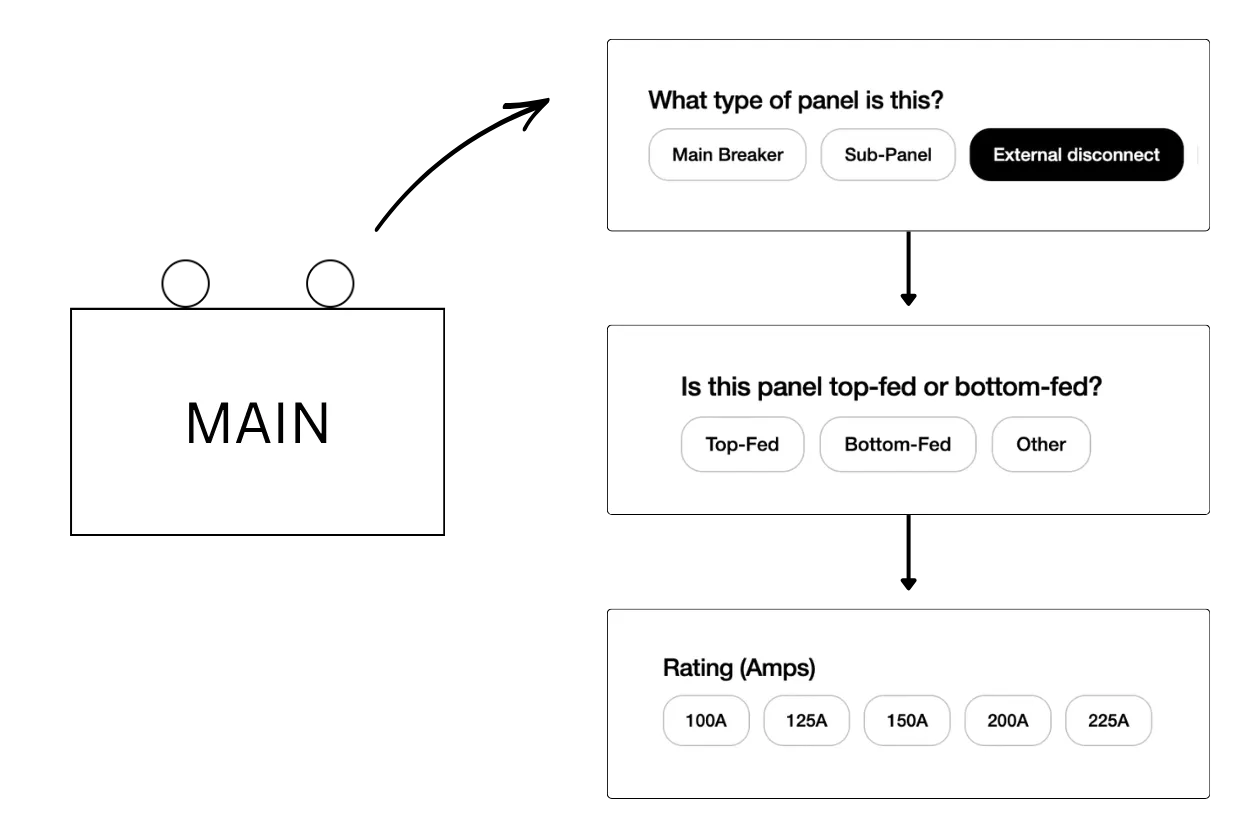
Account panel access
Half the time it's not even a real service call. They tripped a GFCI and didn't know where to look. A breaker kicked and they're not sure which one. You can see their panel from your desk and solve it with a two-minute phone call instead of a 45 minute drive.
Account Features (video)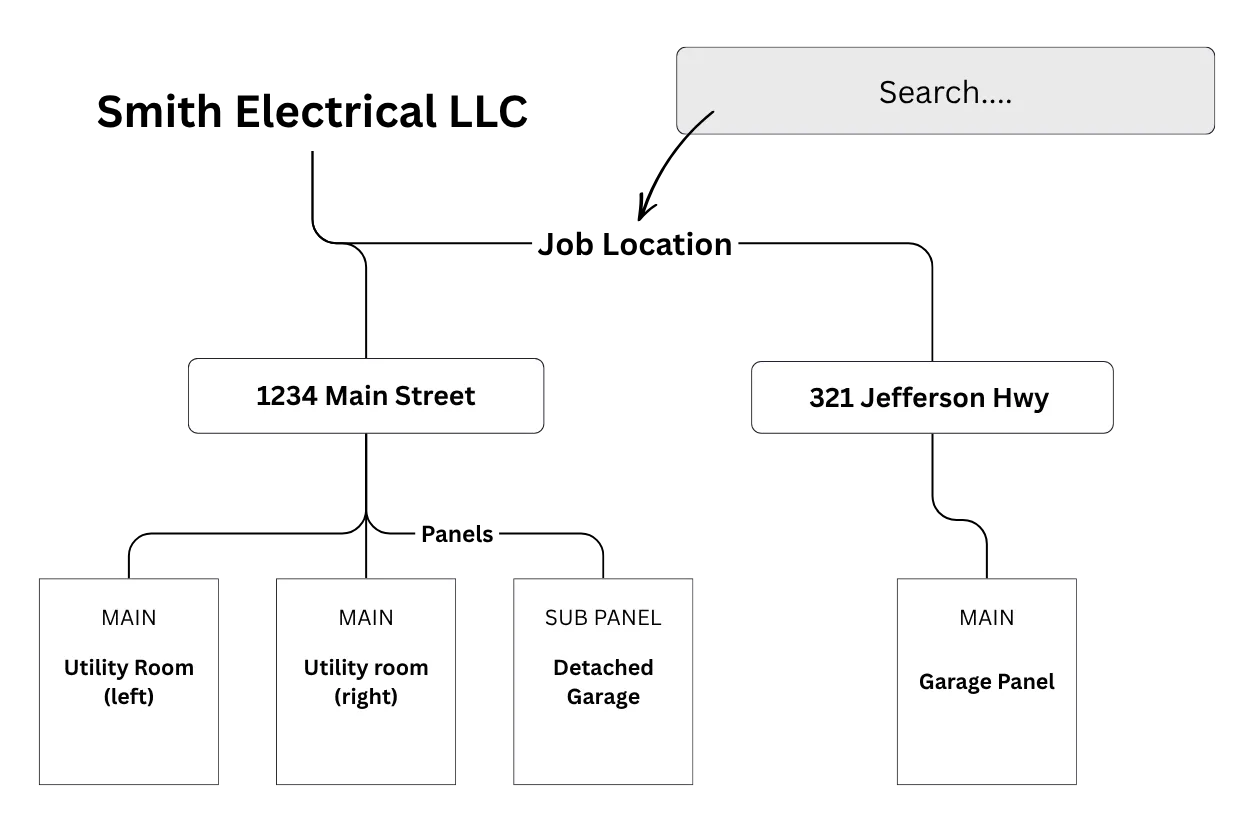
Custom branding
Your contact information lives right in the directory. When something goes wrong or needs to be changed, they're calling you. You did the work. You know the system. You own the callback and keep the client.
Learn about Custom Branding (video)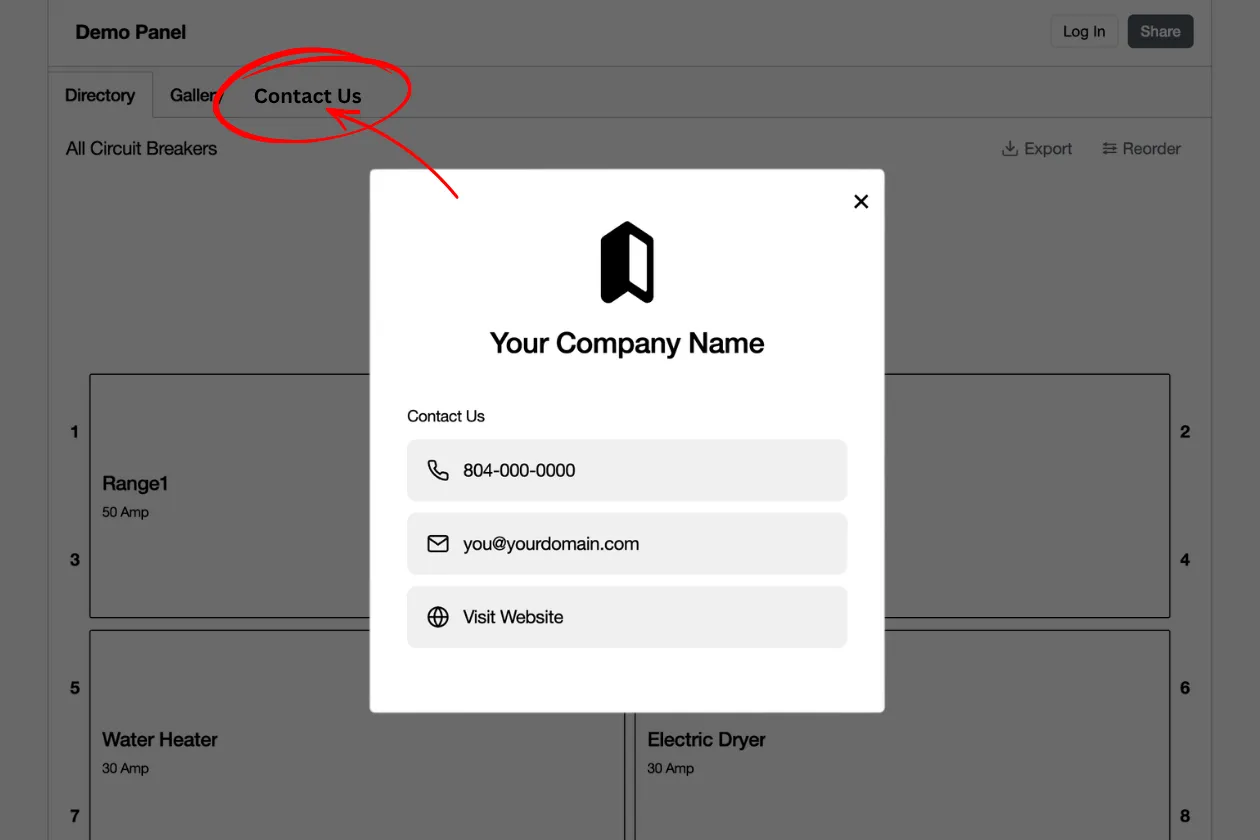
Image search for circuits
Find the image of the item in the gallery. Click on it to see what circuit its on. Easy way to locate something that might not be obiusly labeled. Like halways or closets.
Image search for circuit (video)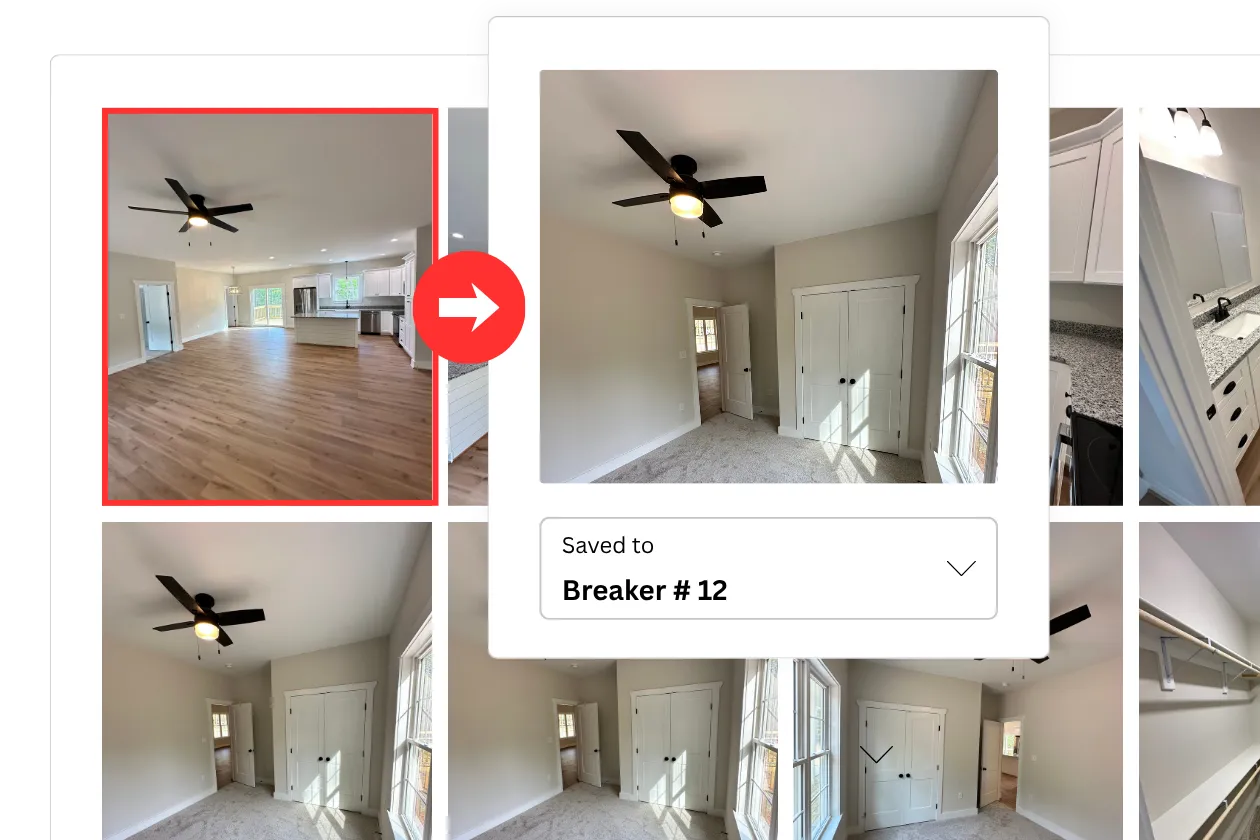
Clear, evident, & specific labels
We exist to solve this problem in electrical panels.
Our Happy customers
Some of the nice things people have said about Circuit Directory
I kept dragging my feet on this for years because it sounded tedious. Honestly it wasn't hard at all and was the best DIY project I've done. No more flipping random breakers. Everything is well labeled now. I can turn off anything in the house on the first try.
Tracie G. Homeowner
We use these on our home builds. Our quality has really slipped here. My client let me know that we missed spelled Dinning and that was the final straw for me. Very emebarizing. This tool has done a great job fixing that.
Bradley Homes LLC
I wish original installs were somehow required to be better done....seems most all are just almost chicken scratch abbreviations of the circuits. Just makes it really had to work on clients homes. This is a new SOP at our company.
TLC Electrical Co.
Straight foward pricing
No surprises. Just an excellent service at a fair price.
Great for single use cases.
30 day access to our tool.
Download your report.
Unlimited Directories
Save 40% Annual.
Continued access to our tool.
Download your reports.
Unlimited Directories
Data hosting & cloud storage
Cancel Anytime
Questions about the software
- Do I need to download an app?
- No. This is a web-based application, so any phone with a camera and internet works — iPhone or Android, no app store required.
- Who can view and edit the online directory?
- Anyone who scans the QR code on the printed directory can view, edit, and contribute — homeowners, electricians, and builders alike. That's deliberate: every trade can add what they know without a special login.
- What happens to my data if I cancel?
- If you cancel, your organization's data switches to read-only mode, so you can still view all of your panel information. Full details are in our terms of service.
- Can I control who sees the directory?
- Anyone with the link can view and edit the directory, and anyone can share that link. If you're the owner, you can reset the share link at any time, which cuts off access for everyone who currently has it. Note that resetting the link also breaks the existing printed QR code, so you'll need to print and post a new schedule afterward.
- Can multiple employees use this at once?
- Yes — multiple people can be signed in to the account at the same time. We have a video here on how we recommend companies roll this out with their crew.
- Can I transfer ownership of a panel directory?
- Maybe. Contact support and we can transfer ownership to your account, as long as there's no active subscription on that panel. If your electrician, builder, or contractor holds it under an active subscription, it can't move until that subscription ends — or until you have their written permission.
- Is there a limit on how many circuit directories I can create?
- No limit. Both plans let you create as many as you need.