With us, labeling is easy
Store all that knowledge in one place, online. Scannable at the panel, editable when things change, and impossible to lose..
Directory & panel match
Each new circuit directory starts empty. Add one breaker at a time. This allows you to match your electrical panel breaker for breaker.
Building the panel (video)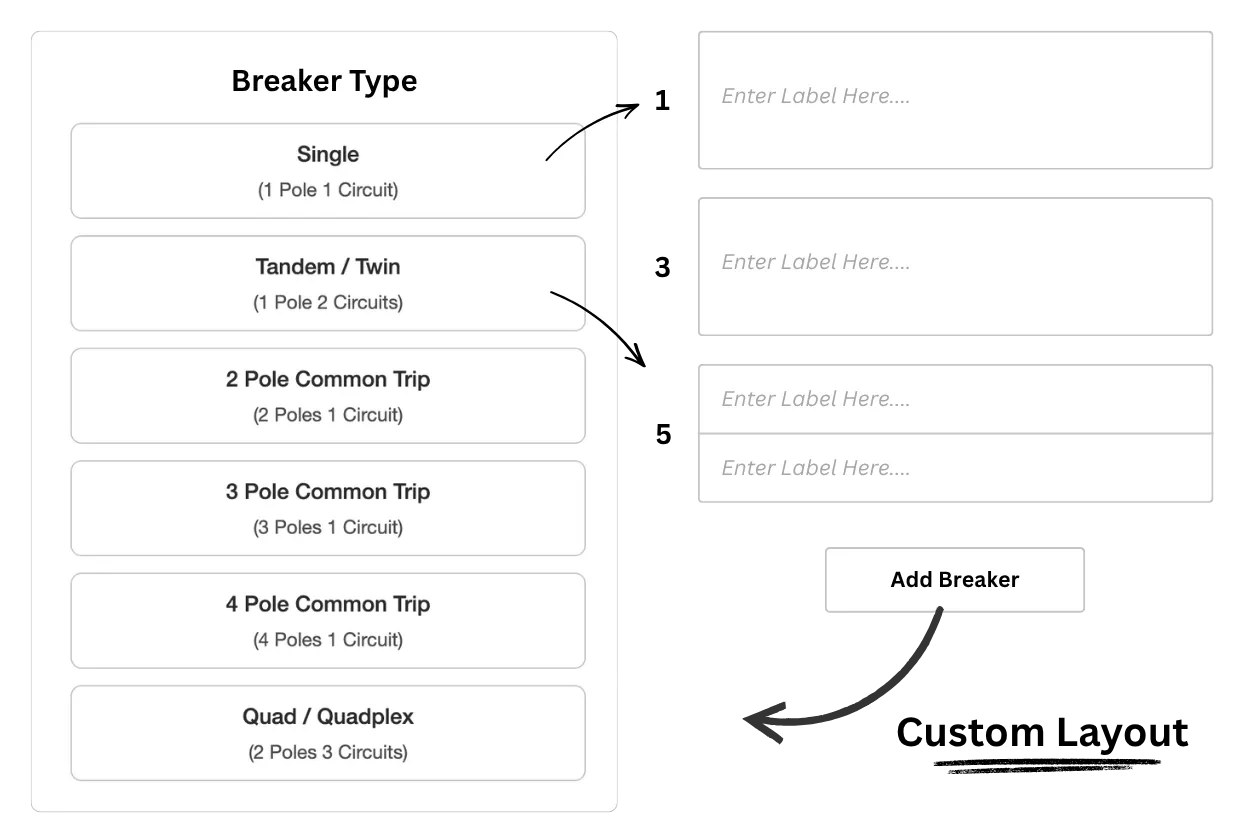
Circuit-level information
Each circuit gets its own dedicated page. Use our preset fields to quickly log key details, add custom notes in your own words, and upload photos for easy visual reference. Add as much or as little information as you need to document exactly what that circuit powers.
Using infromation pages (video)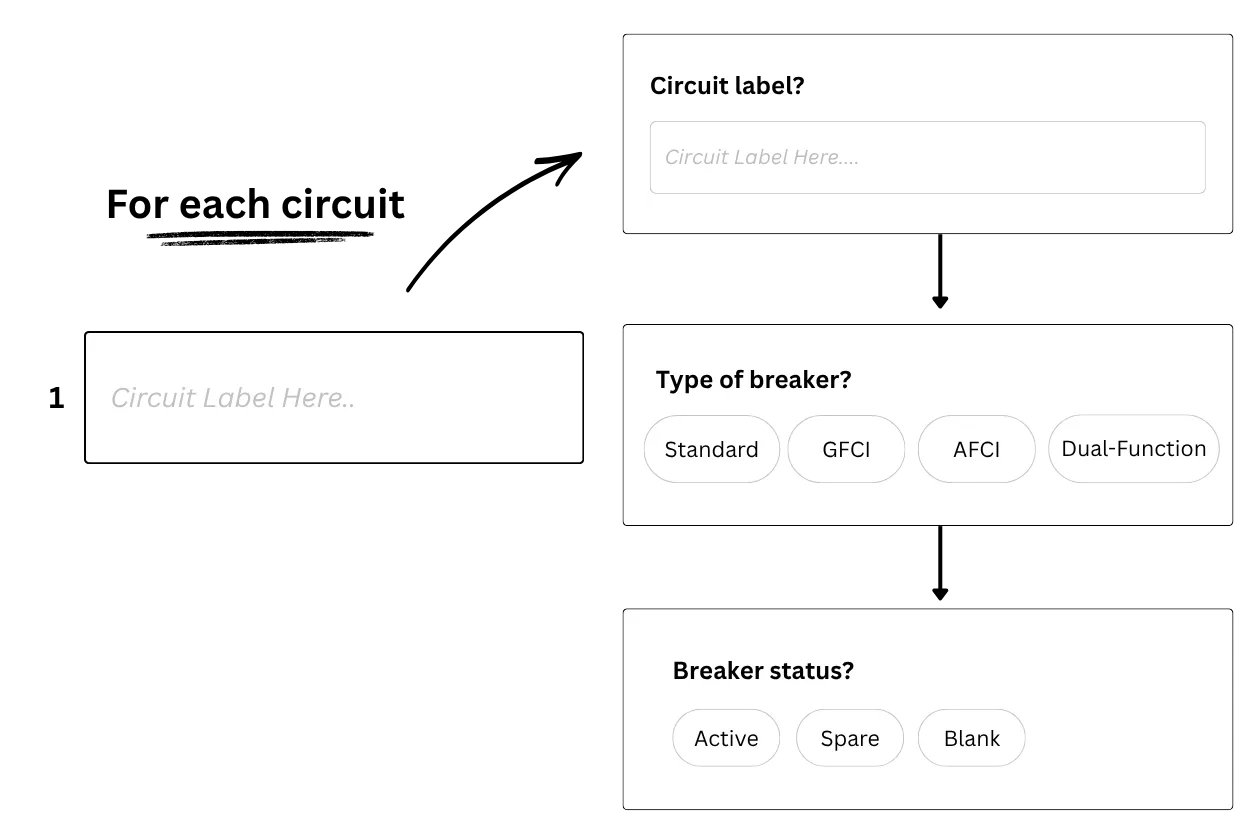
Capture & organize images
Take photos or add them from your camera roll. Use annotations to add text and drawings. Everything is shown in the Image Gallery by default. Save images to a circuit to help orgaize your gallery.
Working with images(video)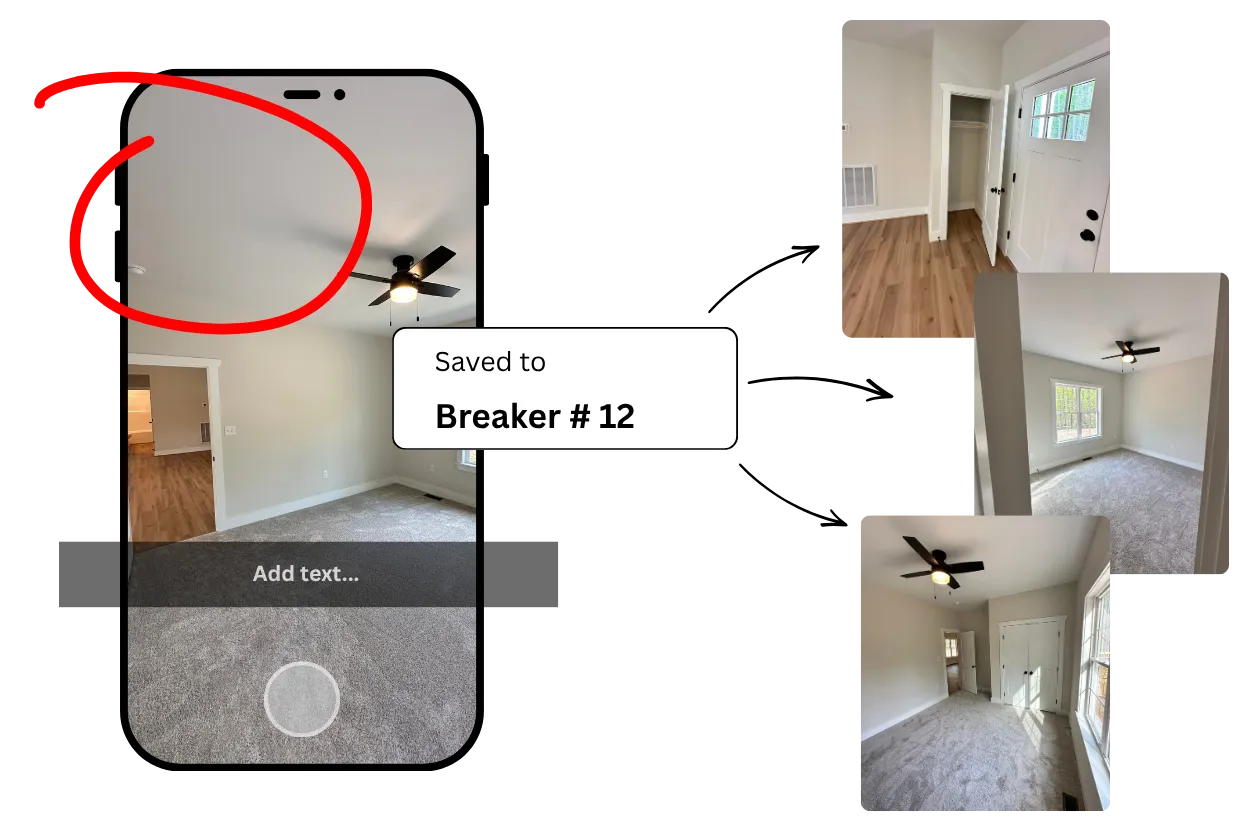
Generate a physical copy
Download clean, print-ready directories tailored exactly to your physical panel layout. Completely customize the export. Add your company branding and contact info, and generate a professional hard copy to leave on-site.
Printing and downloading (video)Custom Branding (video)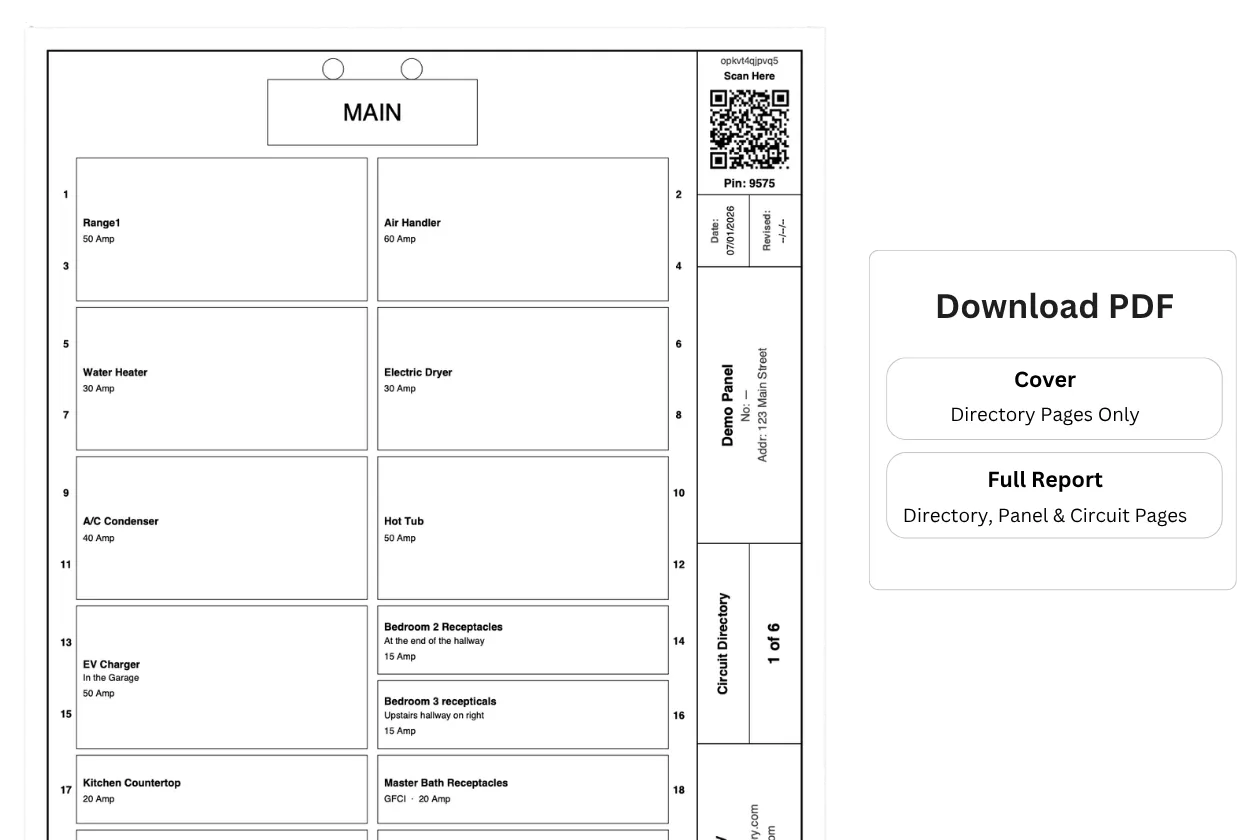
Accessing the online directory
Open the camera on your phone, scan the QR code, and you're in — nothing to type. The access code is built into the QR itself. Anyone on-site can view, edit, and contribute. No special app needed. Just a camera phone and an internet browser.
Online accessibility (video)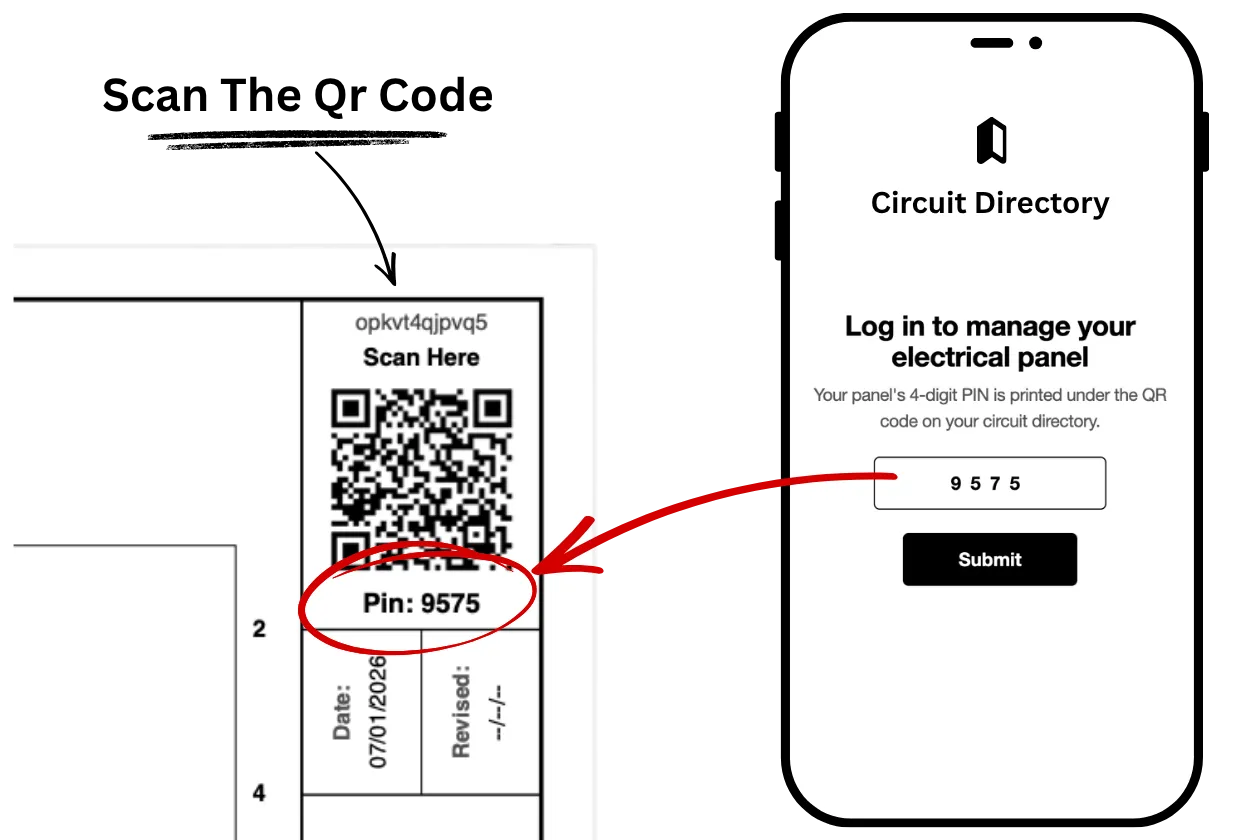
With documentation, more is more!
We give you the tools to capture, store and display that information.
Panel-level information
The panel gets its own dedicated page, too. Use our preset fields to quickly log key details, add custom notes in your own words, and upload photos for easy visual reference. Add as much or as little information as you need to document your electrical panel and overall service details.
Panel Information Page (video)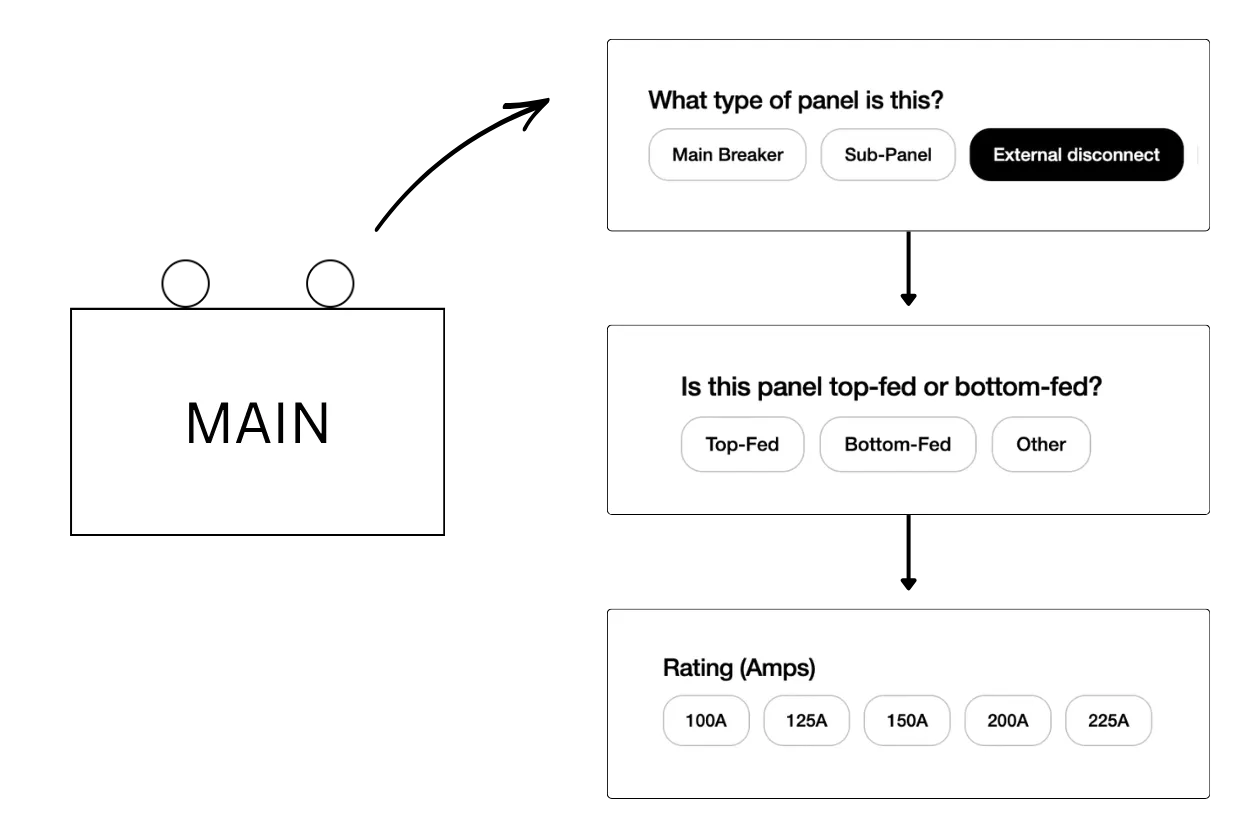
Account panel access
Half the time it's not even a real service call. They tripped a GFCI and didn't know where to look. A breaker kicked and they're not sure which one. You can see their panel from your desk and solve it with a two-minute phone call instead of a 45 minute drive.
Account Features (video)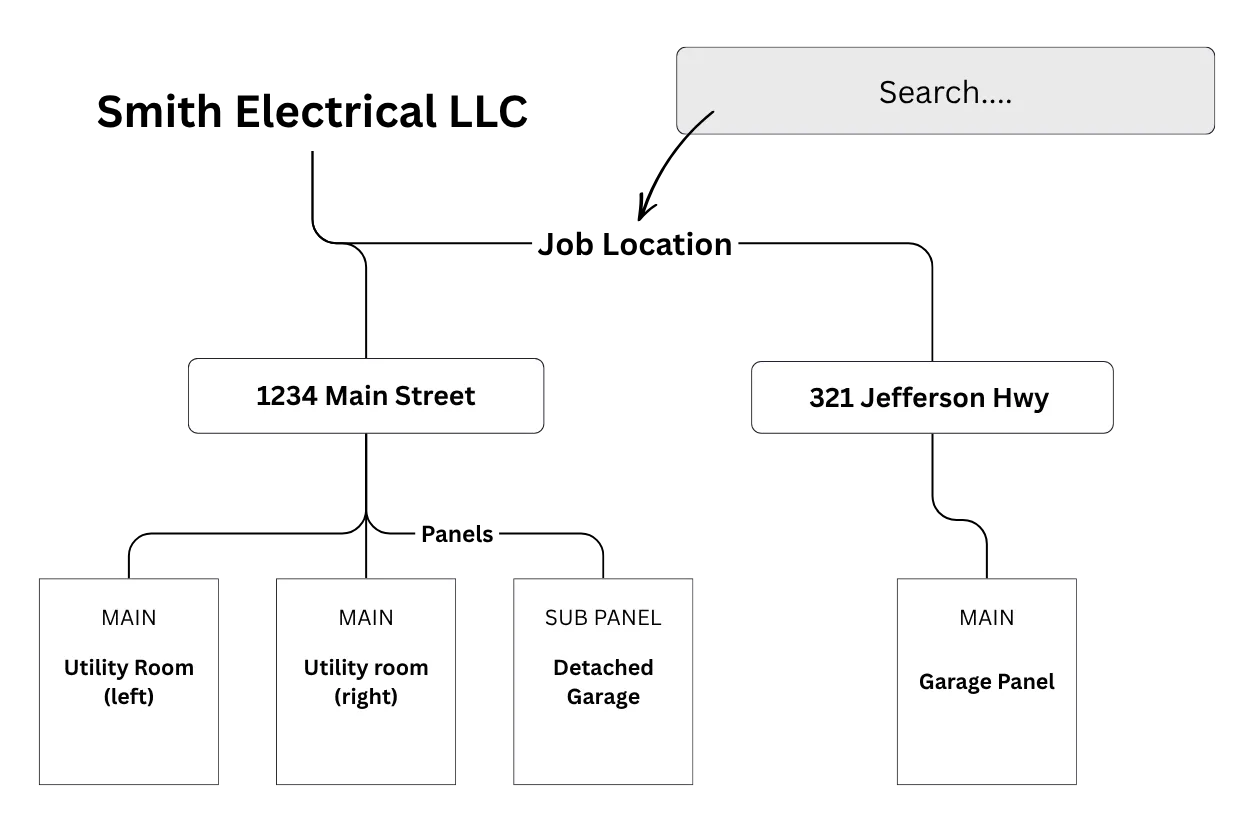
Custom branding
Your contact information lives right in the directory. When something goes wrong or needs to be changed, they're calling you. You did the work. You know the system. You own the callback and keep the client.
Learn about Custom Branding (video)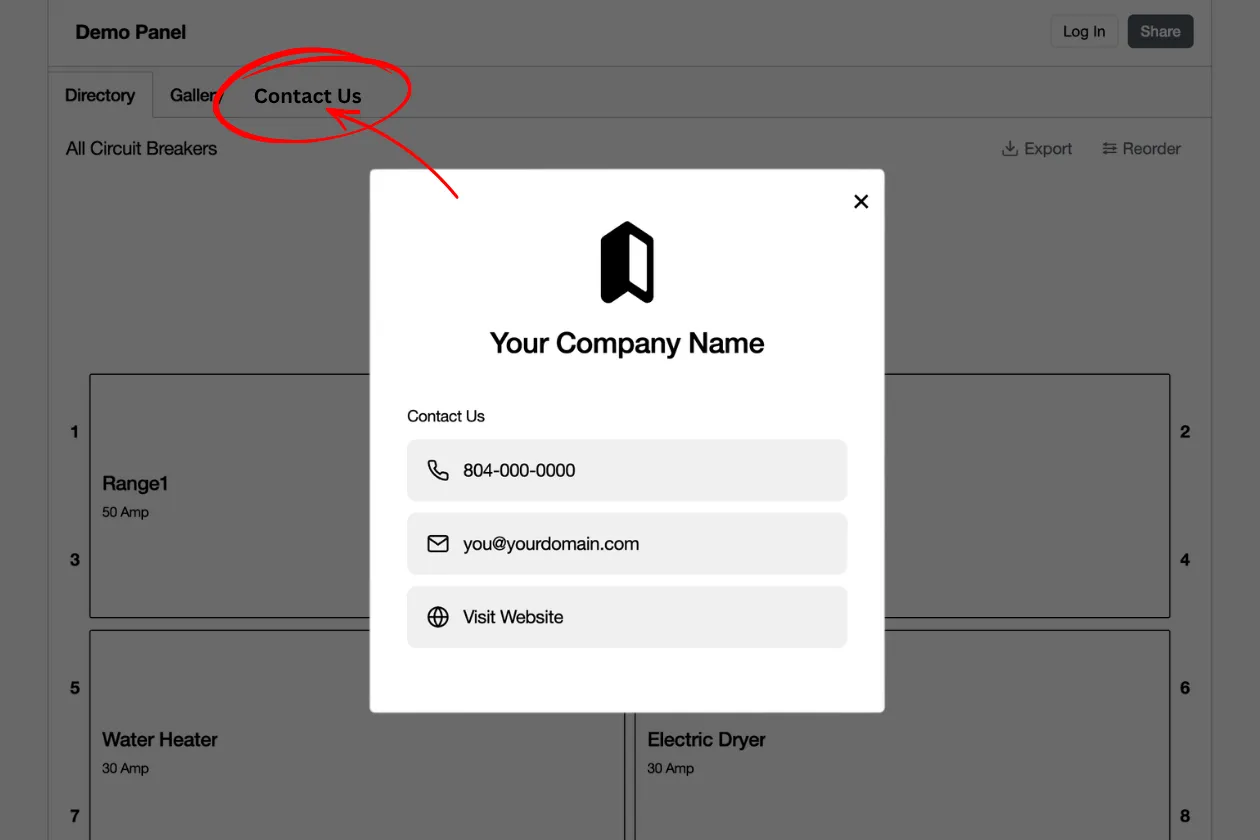
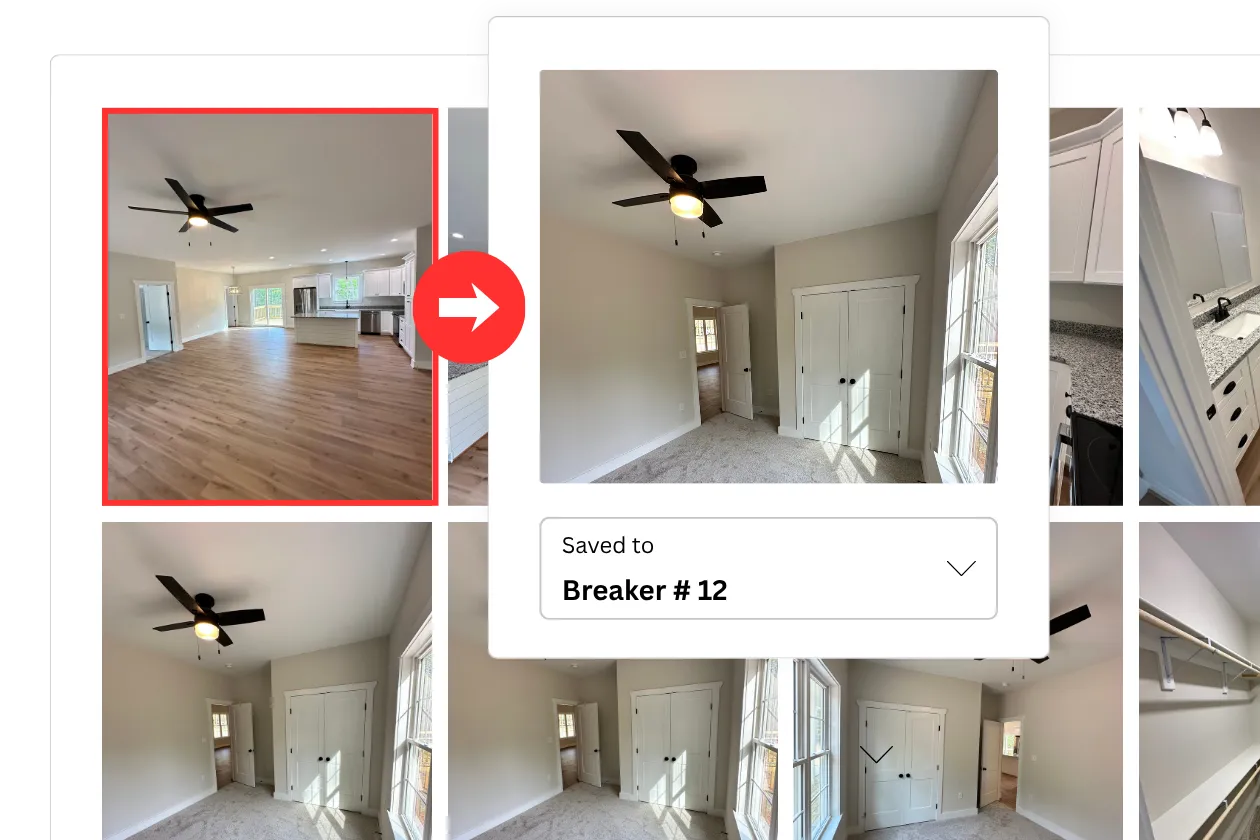
Image search for circuits
Find the image of the item in the gallery. Click on it to see what circuit its on. Easy way to locate something that might not be obiusly labeled. Like halways or closets.
Image search for circuit (video)